Automatic GitHub Deploy to itch.io
Hello Coders! 👾
Automating itch.io uploads from GitHub Actions saves me time and removes the manual upload step when I want to release a new version. In this post I show the workflow I use in production for my little games: push a version tag, let GitHub Actions build the project, and push it to itch.io with Butler .
Why automate itch.io deployment
The biggest benefit is consistency. The same workflow runs every time I push a version tag, so the build that GitHub creates is also the build that ends up on itch.io. I do not need to build locally, zip files by hand, or remember the exact butler command. Separating the build and publish steps also makes it easy to see whether a failure happened during the build or during the upload.
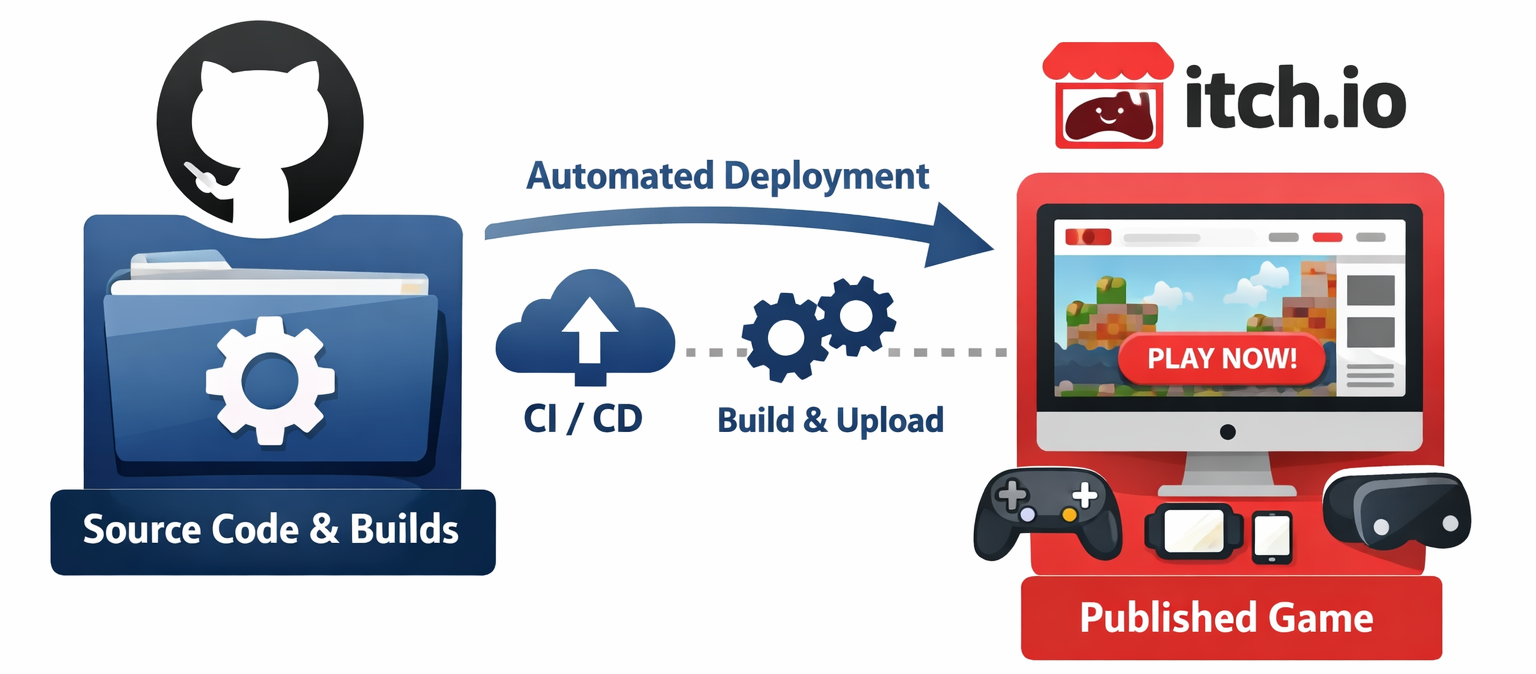
Recommended workflow overview
This workflow starts when I push a tag that matches v*.*.*. This tag is automatically created when doing npm version patch or similar, so it fits well with a standard npm release flow. By pushing to GitHub with git push origin main --tags the workflow starts and runs the build and publish steps. I only do this after merging any PRs to my main branch, so I know the code is ready to be released.
The Build job checks out the repository, installs Node.js 22 with npm caching, runs npm ci, and then builds the project with npm run build. After that it uploads the ./dist folder as an artifact named itch-deploy.
The PublishToItch job waits for the build to finish, downloads that same artifact back into ./dist/, installs butler with remarkablegames/setup-butler, and finally runs butler push ./dist itch_name/game_name:html. The itch.io API key is provided through the BUTLER_API_KEY secret only for that upload step.
Provisioning the CI key and secrets
Create an API key in your itch.io account settings and store it in your GitHub repository secrets as BUTLER_API_KEY. That is the secret used by the workflow below. I keep it out of the build job completely and only expose it to the step that runs butler push.
Why I like this setup
It is small, easy to read, and easy to adapt. If your project already builds to a folder that itch.io can serve, you mostly need to change the channel target in the butler push command. The artifact handoff between jobs also means the deploy step uses the exact output produced by the build step, not a second rebuild.
Step-by-step (minimal workflow snippet)
Below is the same pattern I use in production. You only need to replace the itch.io username, game name, and channel with your own values.
name: Build and Deploy on Tag

on:
  push:
    tags:
      - 'v*.*.*'
concurrency:
  group: build-${{ github.ref }}
  cancel-in-progress: true

permissions:
  contents: write

jobs:

  Build:
    runs-on: ubuntu-latest
    steps:
      - uses: actions/checkout@v6

      - name: Set up Node.js (with npm cache)
        uses: actions/setup-node@v6
        with:
          node-version: '22'
          cache: 'npm'
          cache-dependency-path: package-lock.json

      - name: Install dependencies
        run: npm ci

      - name: Build the project
        run: npm run build

      - name: Upload build artifact
        uses: actions/upload-artifact@v7
        with:
          name: itch-deploy
          path: ./dist


  PublishToItch:
    needs: Build
    runs-on: ubuntu-latest
    steps:
      - uses: actions/checkout@v6

      - name: Download packaged build
        uses: actions/download-artifact@v8
        with:
          name: itch-deploy
          path: ./dist/

      - name: Setup butler
        uses: remarkablegames/setup-butler@v2

      - name: Upload to itch.io
        run: butler push ./dist itch_name/game_name:html
        env:
          BUTLER_API_KEY: ${{ secrets.BUTLER_API_KEY }}
The important part is that the build output ends up in ./dist and that this folder contains the files itch.io should host. For HTML builds, that usually means index.html needs to be at the root of that folder.
Conclusion
This setup works well for me because it keeps the release flow straightforward. I tag a version, GitHub builds it, the artifact is passed to a publish job, and butler uploads that exact build to itch.io. If you already use GitHub Actions, it is a clean way to make your itch.io releases repeatable without adding much complexity.
Happy Coding! 🚀